Selkies 2.0 · Rust pipeline, native Wayland, WebRTC and WebSockets

A Linux desktop in the browser that feels like a local monitor.

Selkies streams X11 and Wayland desktops and single applications to any web browser at 60+ frames per second. Over WebRTC or WebSockets, GPU-accelerated, damage-aware, and free forever. Not a screen-scraper. Not just a video stream. The best of both, built for the modern web.

  • Chromium
  • Firefox
  • Safari
  • X11
  • Wayland
  • NVIDIA
  • Intel
  • AMD
https://desktop.example.internal
  • 0+FPS at 1080p, even on a software encoder
  • 0TCP port, through any reverse proxy
  • 0client installs, plugins or agents
  • 0transports, WebRTC and WebSockets, swappable live
  • MPL‑2.0open source, free forever
How it works

Not a video stream. Not VNC. Both, and better.

Traditional remote desktops scrape rectangles with a thirty-year-old protocol. Cloud gaming pushes a full video stream whether anything changed or not. Selkies is a hybrid: it tracks damage like a VNC, encodes like a game stream, and knows when to do neither. The same intrinsics run on WebRTC and on WebSockets.

Damage tracking

Every frame is compared to the last and encoded only where something changed. A blinking cursor or a clock tick costs a sliver of bandwidth, not a full keyframe, and the encoder runs no faster than the screen actually moves.

No motion, no frames

A static screen costs nothing. Capture is damage-gated on both X11 and Wayland, and audio silence is detected and dropped before it is ever encoded.

Paint-over for legibility

When motion stops, Selkies bursts a higher-quality pass over static regions, with full 4:4:4 chroma where the encoder supports it, so text is crisp, not smeared.

ApproachFull-motion 3DIdle desktopText claritySystem load
Classic VNC / RFBSlideshowCheapGoodCPU-bound on motion
Pure video streamSmoothEncodes anywaySmearedConstant, even idle
Selkies60+ FPSZero framesPaint-over 4:4:4GPU: CPU barely touched

With a GPU doing the encoding, the CPU is essentially idle on both the server and the client, since the browser hardware-decodes H.264. Without one, a 1080p 60 FPS software stream runs at roughly 60% of a single core, and ordinary desktop work sits around 10 to 20%. Your mileage will vary, but that is the class of overhead you should expect.

The total package

Everything a desktop does. From any browser.

Selkies is not a viewer with a few extras bolted on. Every capability below ships in the core, works on both transports, and needs nothing installed on the client.

Webcam forwarding

Your browser's camera becomes a real V4L2 device inside the session. Video calls, OBS, OpenCV, all of it, decoded off the GIL with zero copies in Python.

Microphone uplink

Opus-encoded audio from your mic shows up as an ordinary PulseAudio source. Applications record it like any capture device.

Any language, any layout

Full IME composition streaming, non-Latin layouts, and modifier healing across browsers. Type Japanese, Korean, Arabic or Dvorak and it just works.

Dual monitors

One click adds a second screen as a companion browser window. Drag it to your other physical monitor and you have a real extended desktop.

Gamepads, real and touch

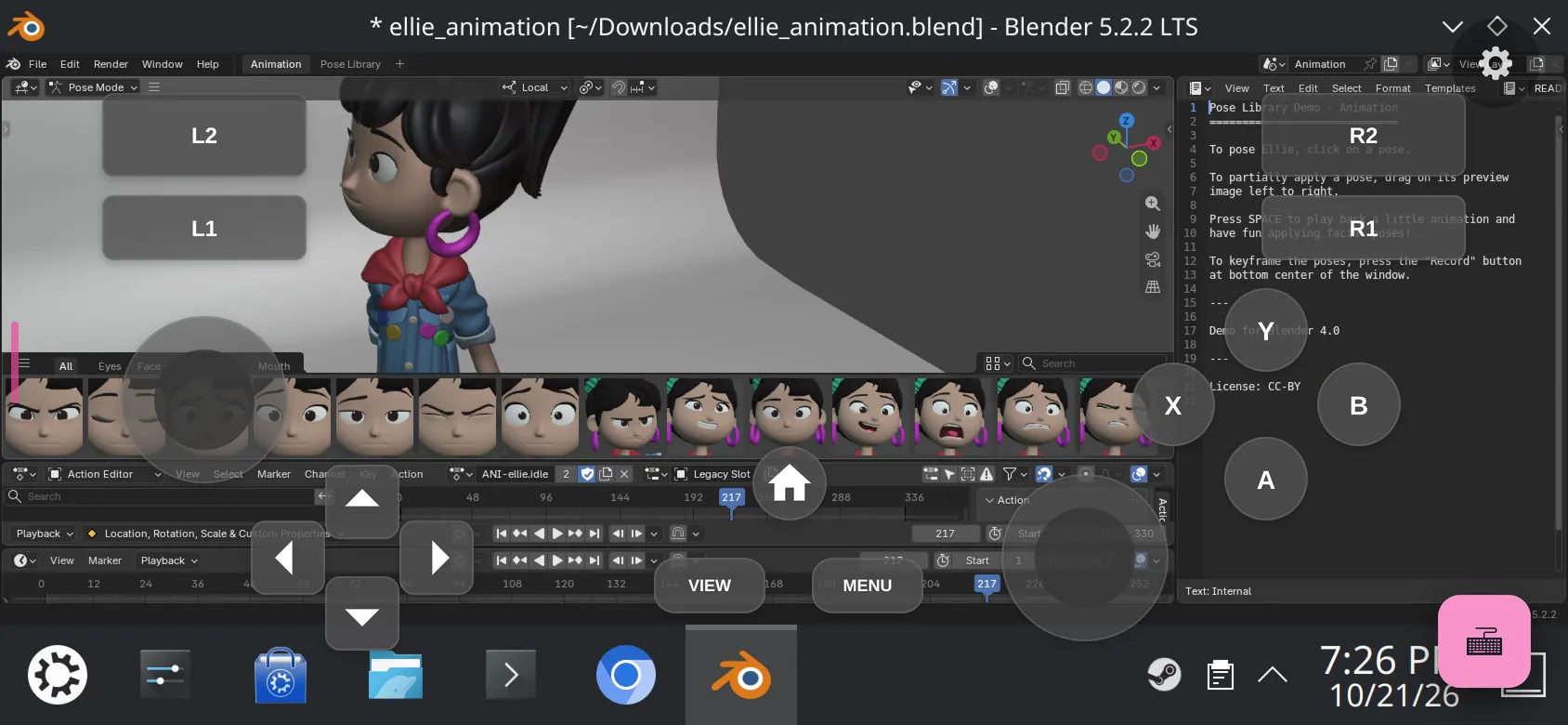
Browser gamepads are injected as kernel-style joysticks that Steam and Proton see. On phones and tablets, a customizable on-screen touch gamepad fills in.

Two-way clipboard, text and images

Copy and paste in both directions, including binary image clipboards. Large payloads are chunked automatically across Chromium, Firefox and Safari.

File uploads and downloads

Drag files into the session or browse and pull them out. Transfers are paced against the video stream end to end, so a big upload never stalls your desktop.

Session sharing

Hand out viewer links, or player 2 through 4 links that drive their own gamepad slot. Roles are enforced on the server, not trusted from the page.

Gaming mode

Fullscreen with the pointer and keyboard held, raw mouse motion with no acceleration curve, and Escape, Alt+Tab and every chord delivered to the game.

Surround audio

Full-band Opus with silence gating and optional redundancy. Mono, stereo, 5.1 and 7.1 layouts that Chromium decodes natively.

Secure by design

HTTPS out of the box, HTTP Basic auth or any reverse proxy in front, and a token-based Secure Mode that provisions per-session roles.

Built for AI agents

A Computer Use API dumps screenshots and drives keyboard and mouse, so agents can operate a full desktop through the same pipeline you watch.

  • Pointer lock
  • Fullscreen
  • Trackpad mode for touch
  • Virtual keyboard
  • HiDPI pixel-perfect
  • Dynamic resize and presets
  • Turbo mode
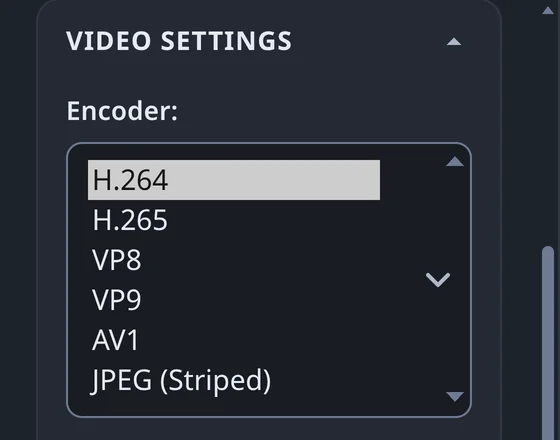
  • Live encoder, bitrate, CRF and FPS
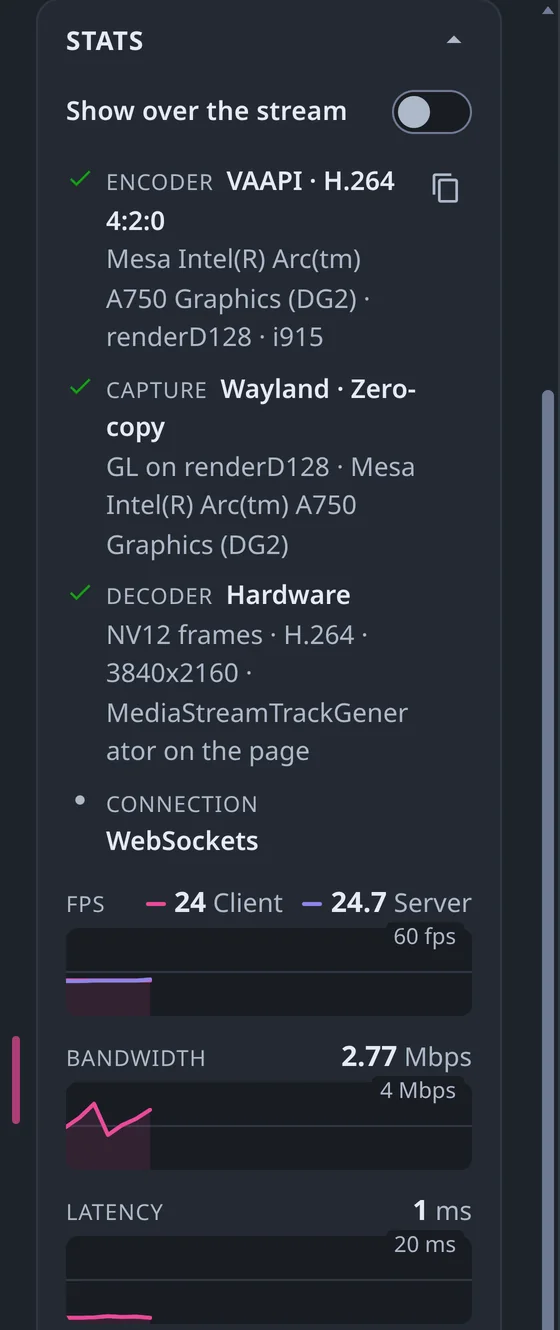
  • Live CPU, GPU and bitrate gauges
  • Watermarking
  • MP4 recording
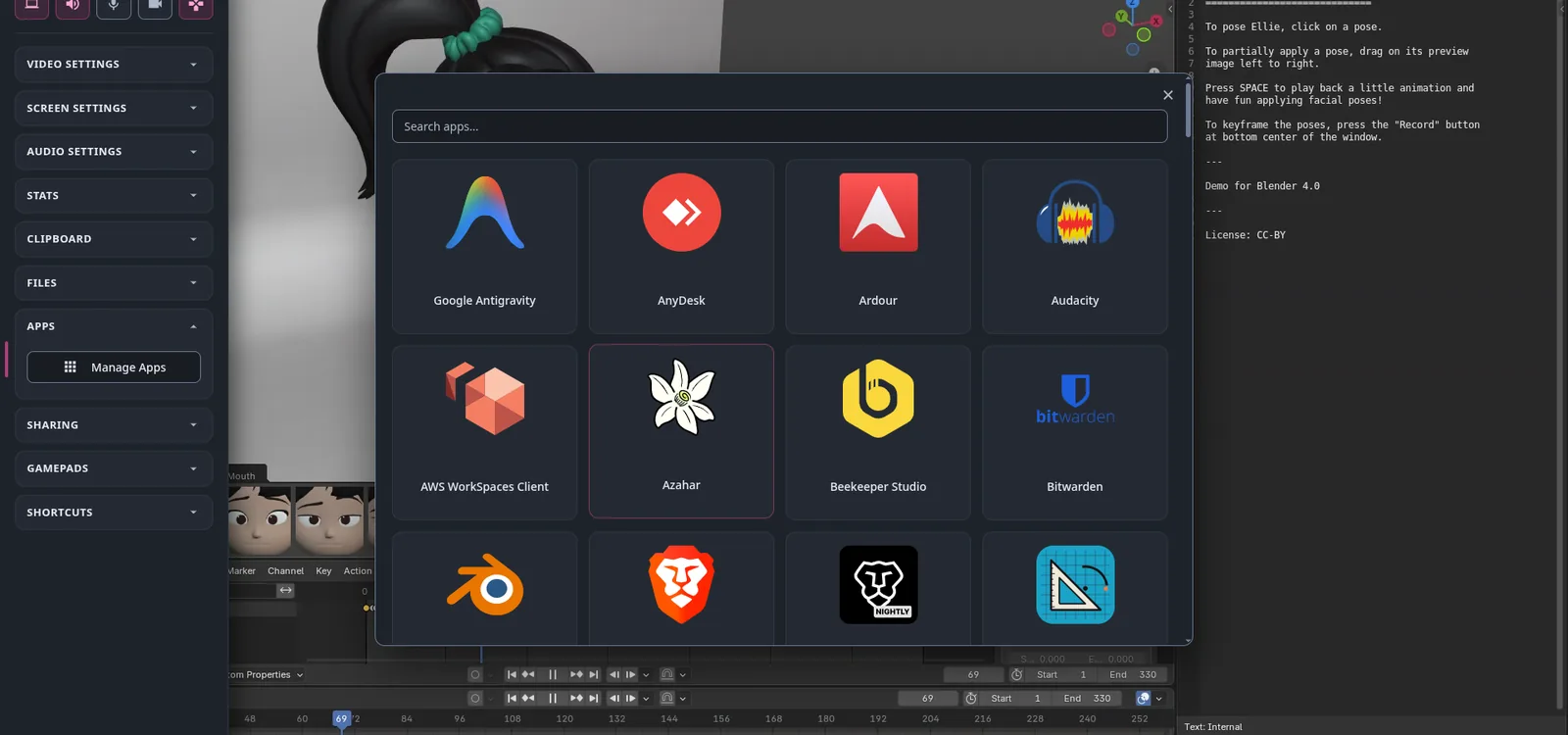
  • In-session app manager
  • Per-setting UI locking
  • Subfolder reverse proxies
  • Embeddable in any page
  • Three dashboards to fork
  • Translated UI
  • Kubernetes-ready
  • No root required
  • No systemd required
Under the hood

From pixels to your browser in one hop.

A single Python application orchestrates two small Rust extensions. The performance-critical path never touches the interpreter, and on the Wayland GPU path never touches system RAM at all.

Selkies streaming pipeline Display X11 shm Wayland dmabuf pixelflux damage tracking NVENC · VA-API x264 · OpenH264 · JPEG Transport WebRTC · WebSockets swappable mid-session Browser WebCodecs decode zero-copy canvas Audio PulseAudio PipeWire-Pulse pcmflux Opus · silence gate up to 7.1 surround Same socket one connection one port Speakers Web Audio Mic returns uplink clipboard · input · mic · webcam · files return on the same connection Selkies (Python, aiohttp) orchestrates, never copies a pixel Rust (PyO3) extensions carry the hot path
Zero copy on Wayland

Frames flow as dmabufs from the compositor's GBM buffers straight into the hardware encoder. The CPU never sees a pixel.

Exactly one copy on X11

The X server renders into shared memory and encoder threads read it in place. Encoded bytes reach Python through the buffer protocol, uncopied.

Hardware first, always a fallback

NVENC on NVIDIA, VA-API on Intel and AMD, then x264 or the BSD-licensed OpenH264, with JPEG kept around for browsers too old for WebCodecs. Something always works.

Hardware decode in the browser

WebCodecs on WebSockets, the native RTC decoder on WebRTC. Either way the browser hardware-decodes H.264, your laptop stays cool, and there is no plugin to install.

GPU support

Mount the card in. We figure out the rest.

Pass a DRM render node or the NVIDIA runtime into the container and Selkies detects the GPU, picks the encoder, and switches on DRI3 or Zink for 3D rendering. Multi-GPU hosts, mixed vendors, and containers with no GPU at all are all handled without a config file.

  • NVIDIA NVENC with High 4:4:4, ARGB-direct encode and multi-GPU containers, CUDA 11 through 13.
  • Intel and AMD VA-API with VA-VPP conversion and per-device 4:4:4 negotiation.
  • No GPU x264 or OpenH264 with multi-threaded striping still hits 60 FPS at 1080p on modest CPUs.
  • Wayland a headless Smithay compositor owned by Selkies, or capture of a running wlroots, KDE or COSMIC session.
docker run -d --name selkies --shm-size=2g -p 8080:8080 \
  --gpus 1 --runtime nvidia \
  ghcr.io/selkies-project/selkies/desktop:main-ubuntu26.04
Transport

WebRTC and WebSockets. Two first-class transports.

Selkies was born on WebRTC, and 2.0 brings it back as a first-class citizen: the lowest latency the web can offer, its own congestion control, and every VNC-style trick Selkies does, damage gating, paint-over, on-demand keyframes, carried across the RTC standard. That is no small feat, and it is why WebRTC here does not behave like a video call.

WebSockets is the other half. One TCP port, straight through nginx, Traefik, Caddy, a load balancer or a Kubernetes ingress, with no STUN, TURN, UDP or VPN in the picture. Same encoders, same damage logic, same client. Enable dual mode and users hot-swap between the two from the side menu without dropping the session.

WebRTC lowest latency WebSockets one port Dual mode swap live
Who it's for

Productivity, enterprise, research, and full-motion gaming.

One stack, tuned so that any performance problem a cloud gaming platform would care about is treated as a bug. That bar makes everything else effortless.

01

Web-native VDI

Replace virtual machines with containers. No special devices, no root, no systemd. Hundreds of desktops per host, each behind one URL.

02

Remote browser isolation

Open links, files and downloads in a throwaway container instead of on the endpoint. The pixels come back; the malware does not.

03

Research and HPC

GUI tools on SLURM clusters, Jupyter and Kubernetes. Born at Google, matured at UC San Diego's National Research Platform.

04

Cloud gaming

Steam, Proton and Wine at 60+ FPS with gamepad passthrough, pointer lock and couch co-op links for players two through four.

05

Creative and 3D work

Blender, FreeCAD, DaVinci-class workloads with real GPU acceleration and 4:4:4 color, streamed like a local monitor.

06

AI agents and automation

A Computer Use API and text control plane let agents see and drive a full desktop while you watch the same stream.

See it move

Full-motion 3D, in a browser tab.

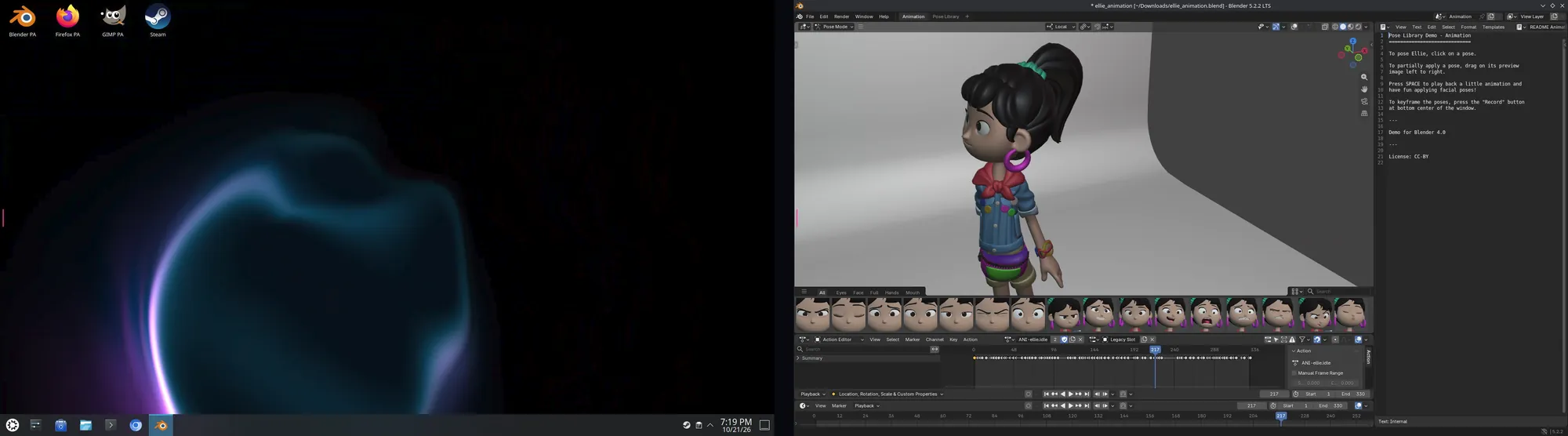
This is Selkies streaming a hardware-accelerated 3D application to a browser tab. No native client, no proprietary codec license, and the same picture whether it rides WebRTC or WebSockets. What you see is what every LinuxServer.io desktop container ships with.

And when the scene stops moving, the encoder stops too. That is the part a video stream cannot do and the part a VNC never could.

Read the design rationale →
Ecosystem

One core. A whole platform built on it.

Selkies is the engine. Around it, a family of projects across multiple organizations turns that engine into containers, app stores, isolation platforms and mobile apps.

core

Selkies

The streaming platform itself: the Python runtime, the WebCodecs web client, the dashboards, the interposers and the container images.

selkies-project/selkies
rust

pixelflux

The pixel pipeline. X11 and Wayland capture, damage tracking, NVENC, VA-API, x264, OpenH264 and JPEG encoding, a virtual camera, a recorder, and a Computer Use API.

selkies-project/pixelflux
rust

pcmflux

The audio pipeline. PulseAudio capture to Opus with silence detection, RED redundancy, surround layouts and microphone playback for the uplink.

selkies-project/pcmflux
platform

Sealskin

Your browser is your new computer. Self-hosted browser isolation and app streaming with browser extensions, iOS and Android apps, and collaboration rooms.

sealskin.app
linuxserver.io

Selkies base images

The LinuxServer.io base for every web-native desktop container: GPU auto-detection, hardening presets, watermarks, subfolder proxies, DinD and more.

linuxserver/docker-baseimage-selkies
linuxserver.io

Webtop and 100+ apps

Full desktops in KDE, XFCE, MATE, i3 and more, plus a library of single-application containers. Hundreds of millions of pulls across the family.

linuxserver/docker-webtop
catalog

Sealskin app store

The manifest of every launchable application, its file associations, GPU flags and autostart scripts, in X11 and Wayland flavors.

linuxserver/sealskin-apps
docs

Documentation

Getting started, native installs and AppImages, every setting with its flag and default, firewall guidance, secure mode and the developer reference.

docs.selkies.io

Every one of these runs on Selkies today.

Lineage

Not an overnight project. A decade of streaming.

  1. Born inside Google

    Started by Google engineers as a reference for GPU-accelerated streaming over WebRTC on Kubernetes.

  2. Open-sourced and adopted by research

    Developed by academic researchers at UC San Diego's National Research Platform, with National Science Foundation support, for HPC and scientific workloads.

  3. LinuxServer.io goes all in

    The LinuxServer.io community replaced its VNC base images with Selkies across every desktop container, bringing a massive user base and a second engineering organization.

  4. Rebuilt for 2.0

    Rust capture and encode pipelines, native Wayland through Smithay, WebSockets by default, WebCodecs decode, and a web client rewritten around them.

  5. Today

    Maintained by a community spanning multiple organizations, deployed everywhere from laptops to supercomputers, aiming to be the standard for web-delivered Linux.

Get started

Running in under a minute.

Pick a flavor. Every one lands you in a desktop at a URL with nothing installed on the client.

The reference LXQt desktop with Firefox and Chrome, an embedded TURN server, and a snakeoil HTTPS certificate. Add --device /dev/dri for an Intel or AMD GPU.

docker run --name selkies -it -d --rm --shm-size=2g -p 8080:8080 \
    ghcr.io/selkies-project/selkies/desktop:main-ubuntu26.04

Then open https://localhost:8080. Add -e SELKIES_MODE=webrtc for the WebRTC transport, or -e SELKIES_ENABLE_DUAL_MODE=true to offer both. Full walkthrough in Getting Started.

Open source. Always free. Built by people who use it every day.

Selkies is licensed under the Mozilla Public License 2.0 and maintained by contributors across the Selkies project, LinuxServer.io, academia and the wider community. We can never have too much help.